

Order Cam. Served 2 ways
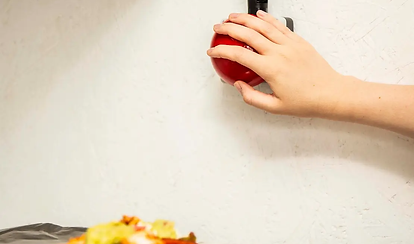
Fixed camera setup.
Mount a physical Order Cam above your packing station. Perfect if you always pack your takeaway orders in the same place.
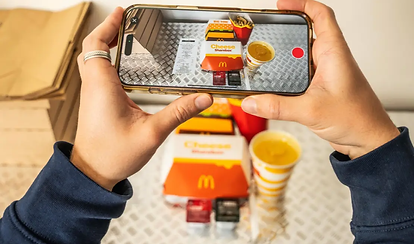
Order Cam mobile app.
Use the Order Cam mobile app to snap and store order photos. Perfect for compact kitchens or mobile packing areas!
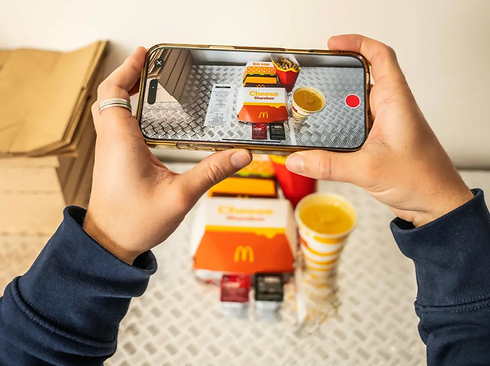
How Order Cam Works Step 1
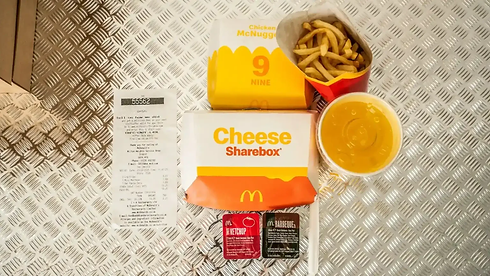
Staff capture a photo of each order and its receipt – using the physical camera, the Order Cam app or a mix of both.
How Order Cam Works Step 2
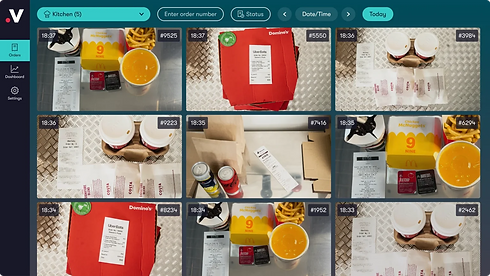
Each image is uploaded to the Videoloft Order Cam cloud, where text recognition technology reads the receipt number.
How Order Cam Works Step 3
If a customer disputes an order, you have timestamped photographic evidence to validate their claim.
Why restaurants and takeaways love the Teletec Order Cam

Dispute refund claims
Prove orders were complete before they left your location, and reduce payouts to delivery platforms.

Reduce staff errors
Photographing orders encourages staff to double-check everything, leading to fewer mistakes.

Keep customers coming back
Happy customers are repeat customers. When orders are right, reviews are better, and loyalty grows.
What Our Customers Say
"This system lets us challenge Deliveroo complaints without impacting our efficiency in the kitchen – in just 2 weeks we’ve already disputed enough refunds to cover the cost of the system."
Jan Rasmussen
Mission Burrito
Taster saw fewer disputes, happier customers, and stronger profitability across its growing network of delivery-only restaurants.
Case Study
Taster